Real people. Brighter connections.

Meet through real plans. Make the first hello easy.

Discover people, Plans, and Communities with mutual intent — then settle the details in a chat built around the Plan and meet in real life.

iPhoneComing soon on the App Store AndroidComing soon on Google Play
See how StarMate works
  • No swipes
  • Mutual confirmation
  • Real Plans
  • Adults 18+
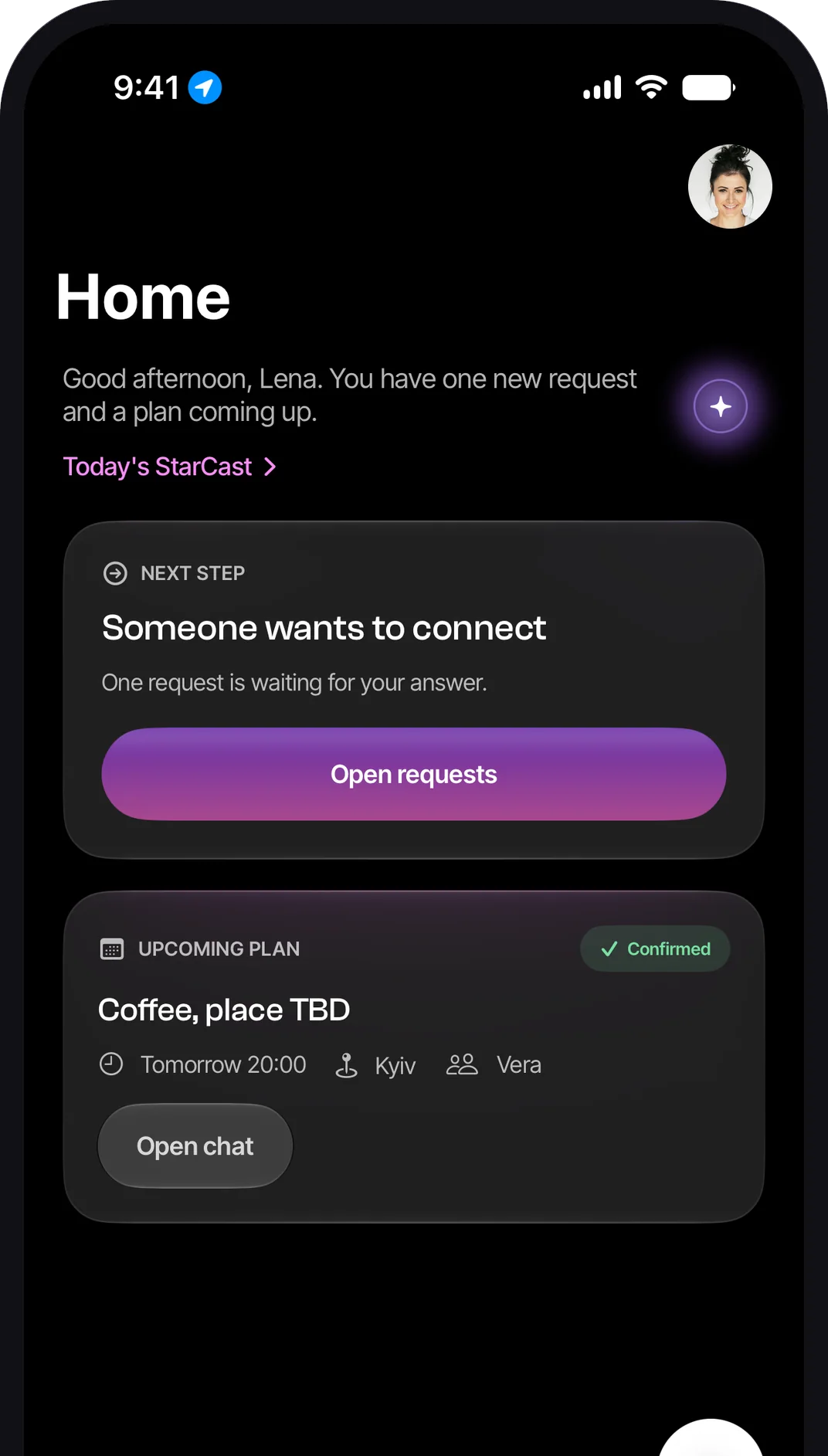
StarMate Home tab on iPhone: a greeting, a Next Step card saying someone wants to connect with an Open requests button, and an upcoming confirmed Plan — coffee tomorrow in Kyiv with Vera.
Why StarMate

Context before contact. Mutual intent before chat.

No swipes, no Likes, no popularity games
  1. Start with a person, a Plan, or a Community.
  2. Reach out with something worth answering.
  3. A Connection opens only when both people agree.
Discover your way

Three ways in.

People

Understand the person before you reach out.

Full profiles, an approximate area — never a pin — and a Connect request that carries context.

How a Connection starts


Two profile portraits side by side above the names Lena and Max, as shown in the app.
Plans

Start with something real to do together.

Coffee, a walk, a museum — one-to-one or a small group, with a time and an area on it.

See how Plans work
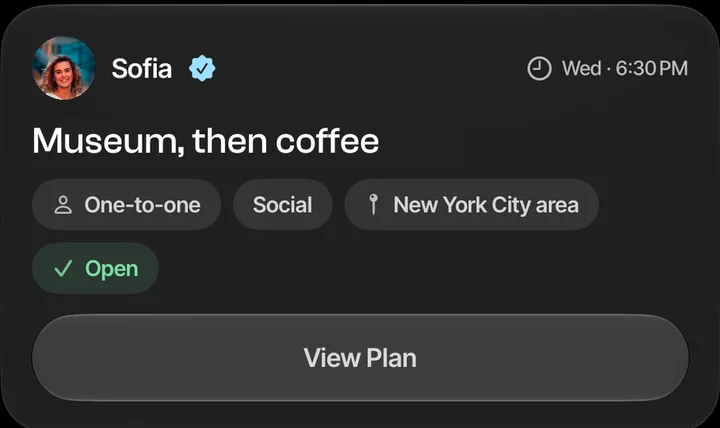
A Plan card from Discover: Sofia, verified, proposes 'Museum, then coffee' on Wednesday at 6:30 PM — one-to-one, social, New York City area, open — with a View Plan button.
Communities

Meet around a city, interest, or shared context.

Public, approval-based or invite-only groups with their own chat and their own Plans.

Communities in the app

The Discover switcher in the app with three tabs: People, Plans and Communities.

Local around you, at about a kilometre's precision Travel where you're heading, before you get there Global anywhere, with daily limits that keep it human

How it works

From interesting to see you Saturday.

  1. Discover

    A person, a Plan, or a Community — Local, Travel, or Global.

  2. Reach out with context

    A Connect request, an invitation, or a request to join.

  3. Confirm together

    Accept, decline, or ask a question. Both say yes, or nothing happens.

  4. Chat and make a Plan

    The Plan stays pinned while you settle the details.

  5. Meet in real life

    Then decide the next step together.

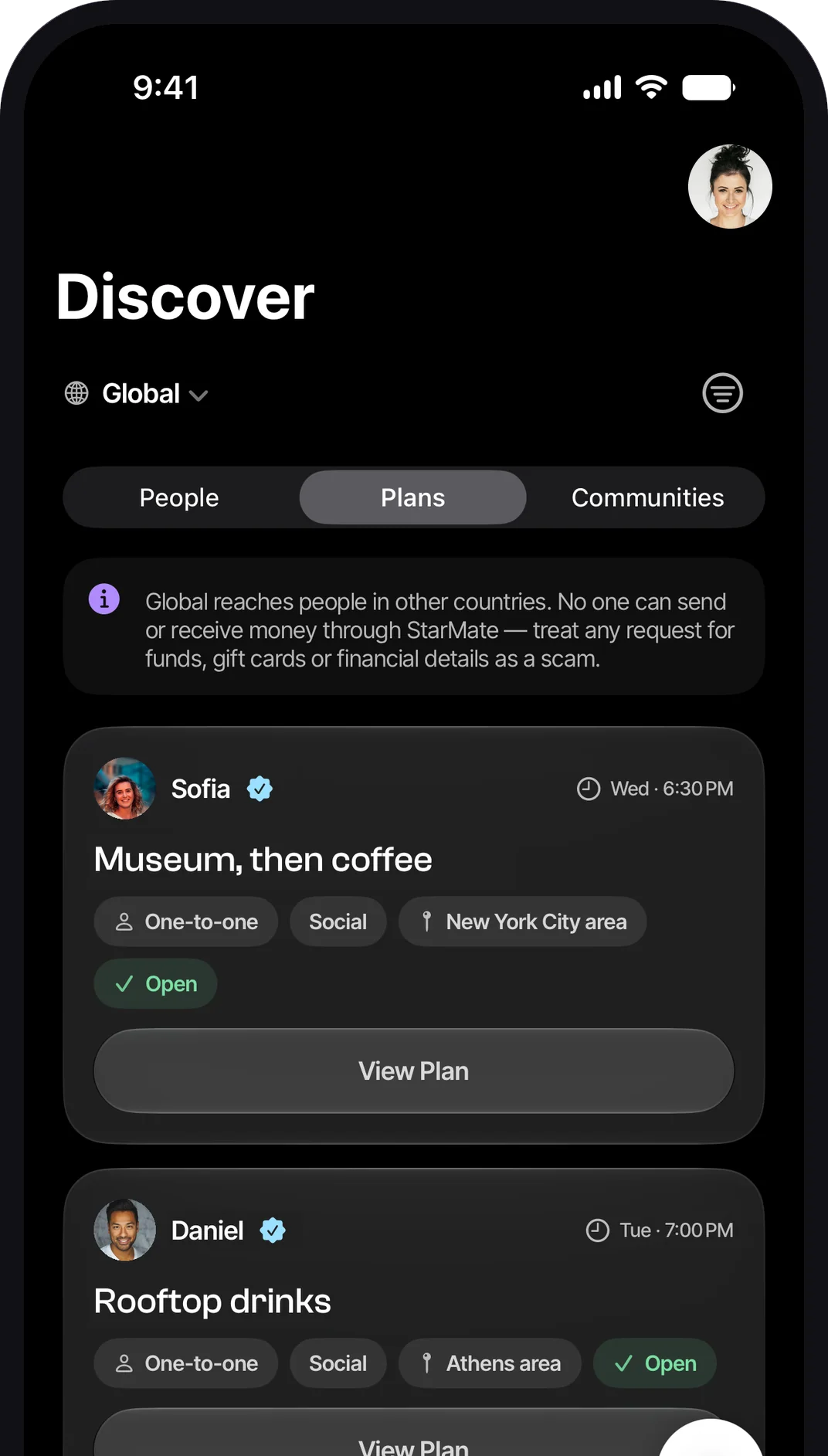
Discover tab on iPhone, Plans list in Global mode: verified members' one-to-one social Plans — 'Museum, then coffee' in the New York City area and 'Rooftop drinks' in the Athens area — each with a View Plan button.
Plans

An actual plan beats another endless chat.

  • A real activity, time, and context.Pick what to do, when, and who it's for.
  • Location details shared with the right people.Discover shows the area; the exact place goes to approved participants only.
  • Chat and confirmation built around the Plan.The Plan stays pinned, and any change asks everyone to confirm again.

Plan details, expiry and controls

Safety & privacy

Designed for trust.

Meeting someone new should feel calm. These defaults can't be bought around.
  • Adults 18+Age is checked at sign-up and confirmed in the consents.
  • Verification where it mattersA live selfie check backs the profile — and romantic requests need it.
  • Report and block controlsFrom any profile, Plan, Community or chat; blocking hides you both immediately.
  • Privacy by defaultApproximate area, never a pin; who you're interested in is never shown.
The real app

Discover → Plan → Chat

Discover tab on iPhone in Global mode: Plans list with 'Museum, then coffee' and 'Rooftop drinks'.
DiscoverPeople, Plans, Communities.
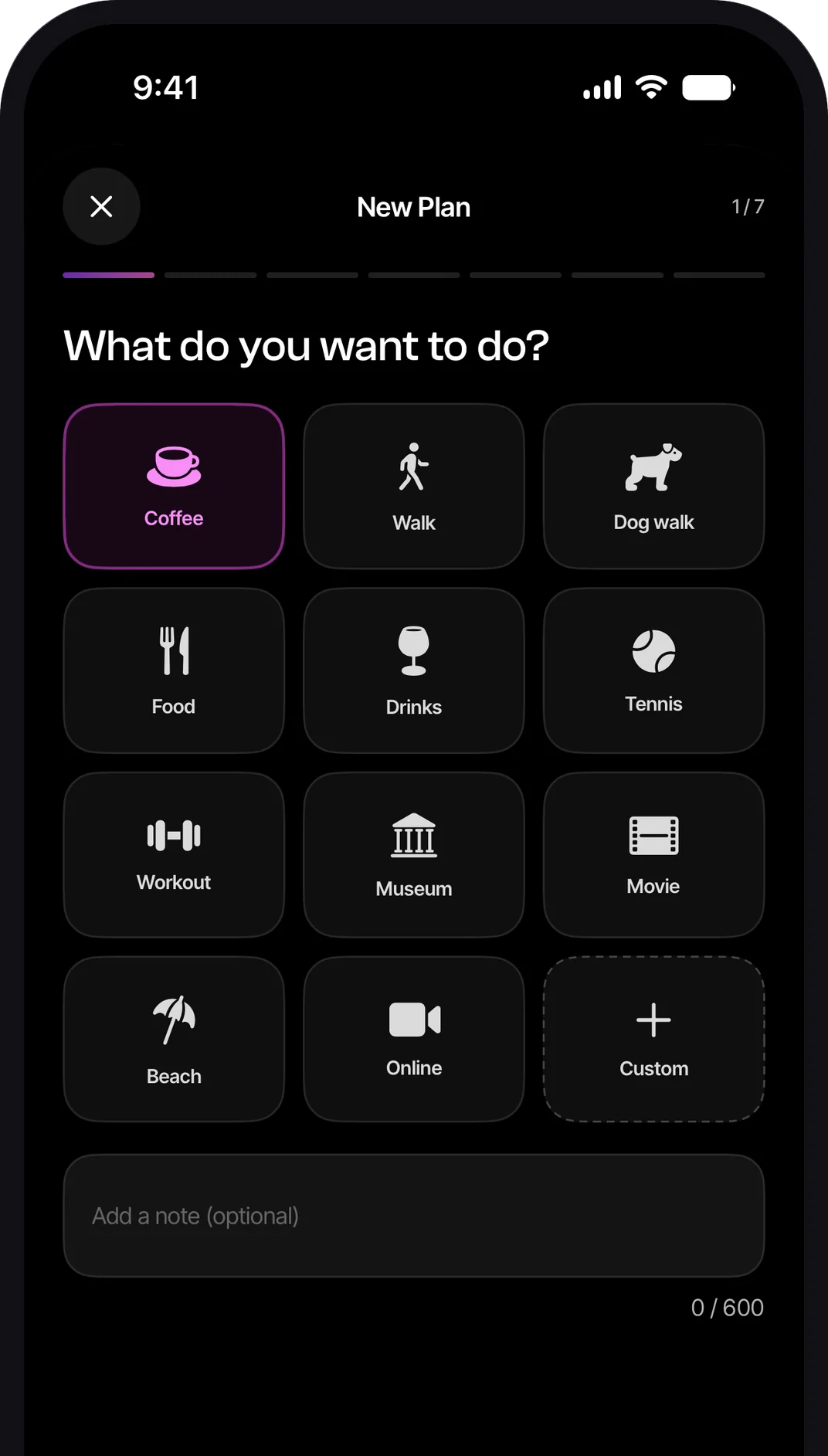
New Plan wizard on iPhone, step 1 of 7 — 'What do you want to do?' — with activity tiles such as Coffee, Walk, Museum and Custom.
PlanPick, set when and where, publish.
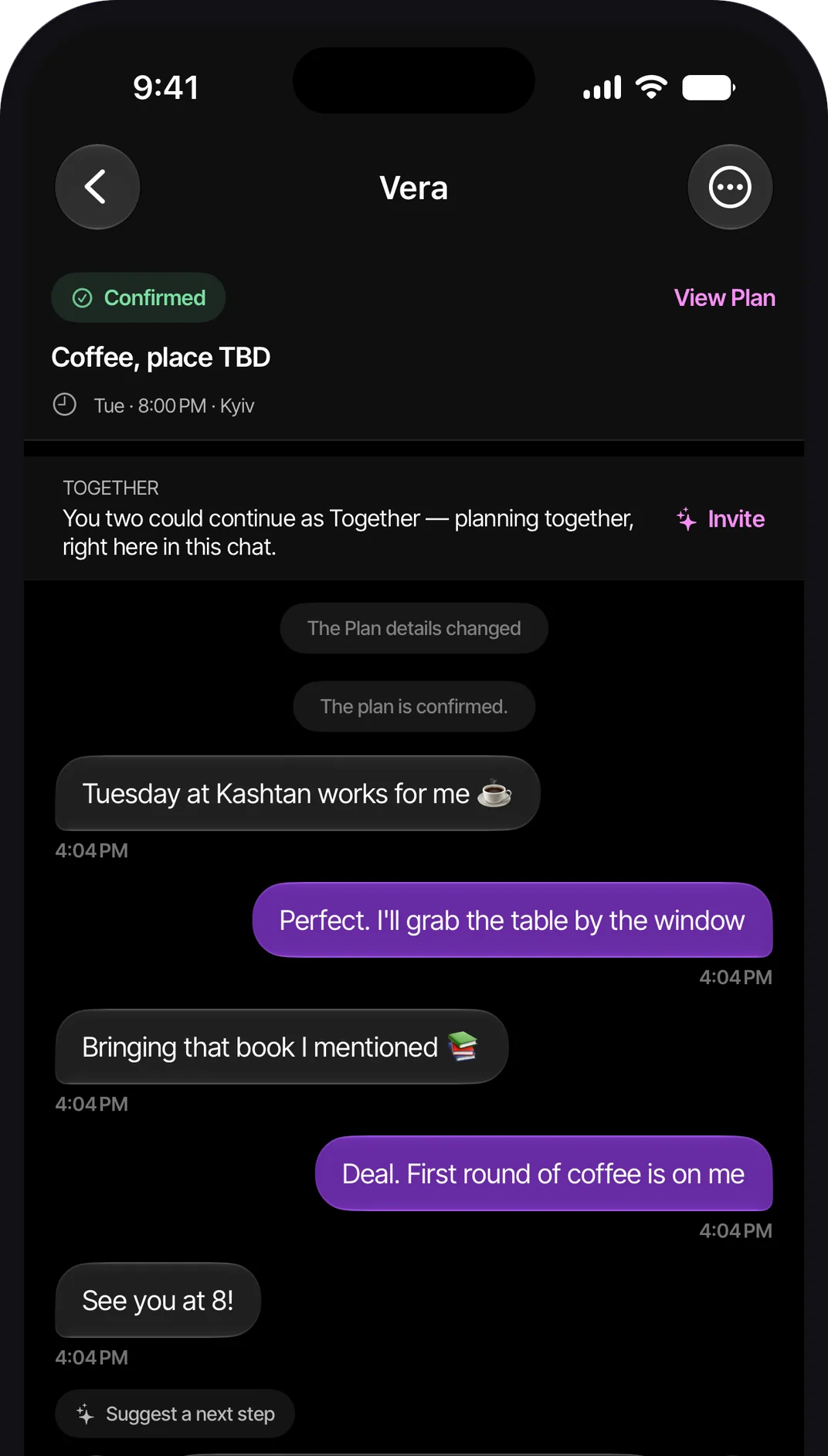
Chat with Vera on iPhone: the confirmed Plan — Coffee, Tuesday 8:00 PM, Kyiv — pinned at the top, a Together invitation, and a short conversation settling the details.
ChatThe Plan pinned, details settled.
Your next connection can start differently

Make a real Plan.
See where it goes.

Coming soon on iPhone and Android.

iPhoneComing soon on the App Store AndroidComing soon on Google Play
Support